
Using AI to Build Smarter Graphic Workflows for Screen Print Production
The Shop You Could Be Running Right Now
Here's what an AI-enabled screen-print operation can look like today:
A purchase order arrives by email. A custom-built pipeline reads it. By the time anyone on the production team looks at the job, the artwork has already been pulled, proofread, and validated against brand spec and SOPs, including the PMS colors the shop uses.
Color separations have been generated, reduced to the correct color and channel count, and staged or RIP’ped. Placement coordinates have been extracted from the proof and written into the production record. Print rotation, mesh, flashes, and squeegees have been set. The press sheet is ready. Inventory has been checked or ordered.
In the pipeline are tools that handle each step efficiently: a PO parser, a color separation tool, a mock-up tool, and so on. This is what it means to build a pipeline rather than a toolbox.
Each tool handles one step. Each step encodes a rule your best people already know. The system enforces those rules consistently, at volume, without anyone having to remember them under pressure.
The path to it isn't a single software purchase. It's a sequence of connected automations, each built narrow and tested on real work before the next one is added. The shops that build it first will run leaner, proof faster, and separate cleaner. Because the rules live in the system rather than scattered across people's heads, profitability, throughput, and employee retention become things you can actively tune rather than hope for.
The Pipeline, Not the Tool
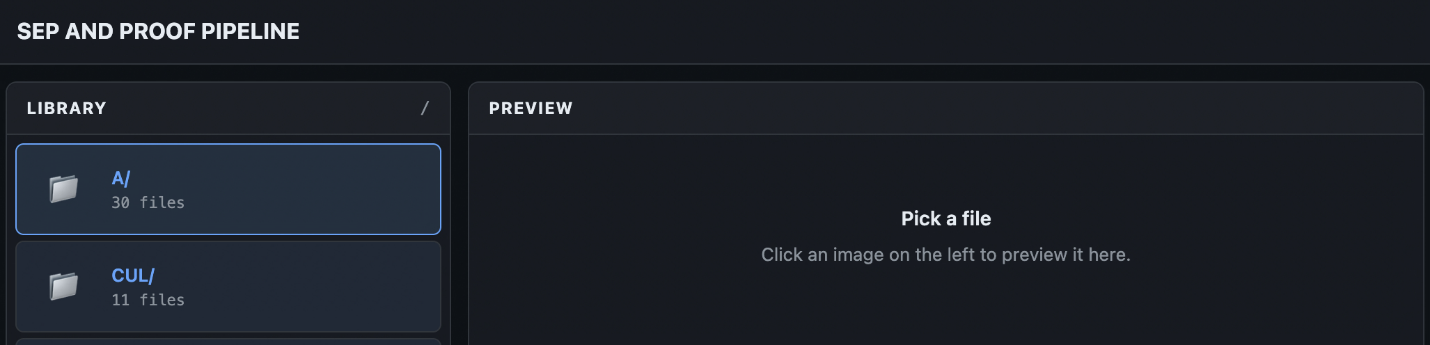
The most important reframe in applying AI to graphic workflows is this: No single tool solves the problem. What solves the problem is a composable workflow where each tool handles what it does best, and human judgment is built in as a structural feature.
At Mirror Image Screen Printing, this is already happening. The shop had stacks of handwritten production logs that held valuable data about job history, timing, and production patterns. The problem is that handwriting varies enough from person to person that standard scanning software can't read it reliably. So, the system uses a smarter recognition tool trained on variable handwriting and layers in an AI vision check for anything it isn't confident about.
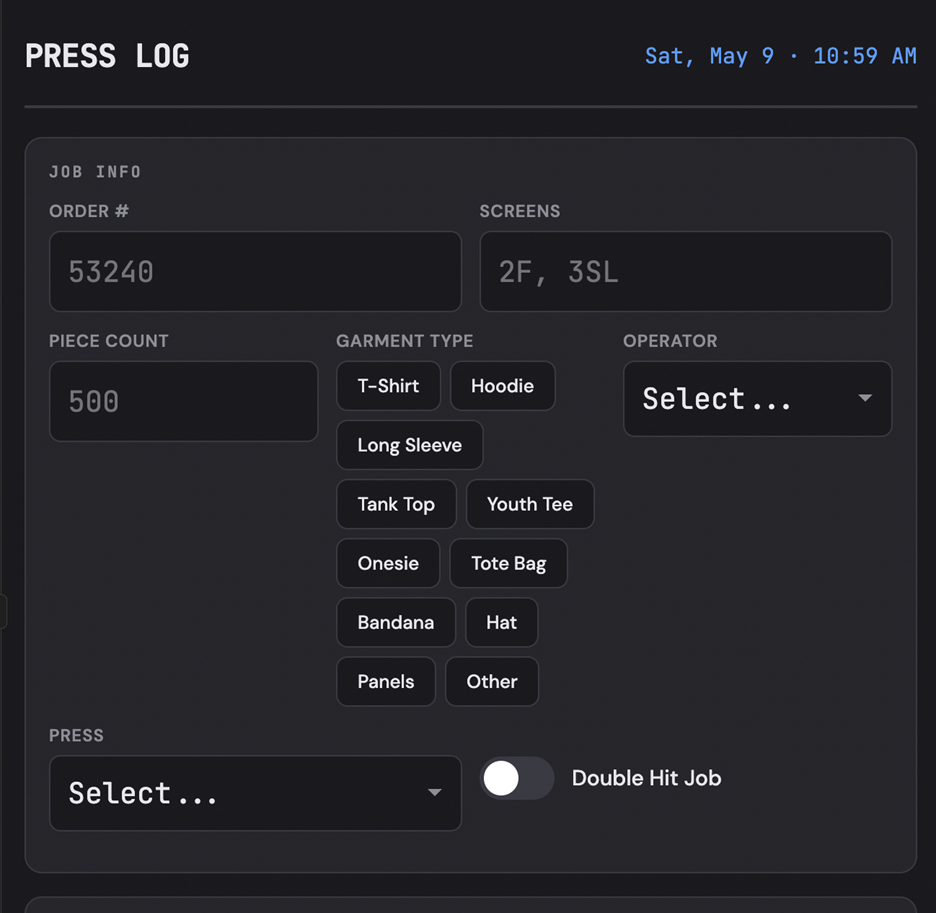
The logs aren't just scanned — they're interpreted. The system understands that certain fields follow predictable patterns: a job number looks like a job number, a date looks like a date, a time duration looks like a time duration. Anything that doesn't fit the expected pattern gets flagged for human review. Everything it's confident about moves forward without intervention.
The target before running the full batch: 90% accuracy at the field level, verified on sample sheets first. That's the quality gate. You don't let automation loose on thousands of documents until you know it's reading them correctly.
The result is a paper archive becoming a searchable, usable database, without anyone manually retyping a single log. From there, the shop shifted to digital input logs going forward, with weekly, monthly, and quarterly reports as the standard.
Each pipeline is made of tools that are experts in their own narrow domains.
Domain Knowledge is the Product
A proofing tool is valuable because it sits exactly where human review breaks down or gets backed up. A tool that handles location lookup for tour T-shirts, cross-checking every venue and city against a master list, saves hours and catches mistakes that get expensive late in production. A tool you can direct and give more nuance to is more valuable still.
A matured vector separation tool recognizes all the spot colors and labels them correctly. It adds an underbase. It understands gradients and distress. It recognizes the shirt color and how the top colors interact with it. It knows which dark colors need underbase and which don't. It knows your registration layout and your in-house spot colors. And it does all of this in batch, instantly. A raster separation tool acts similarly but with its own guidelines and rules.
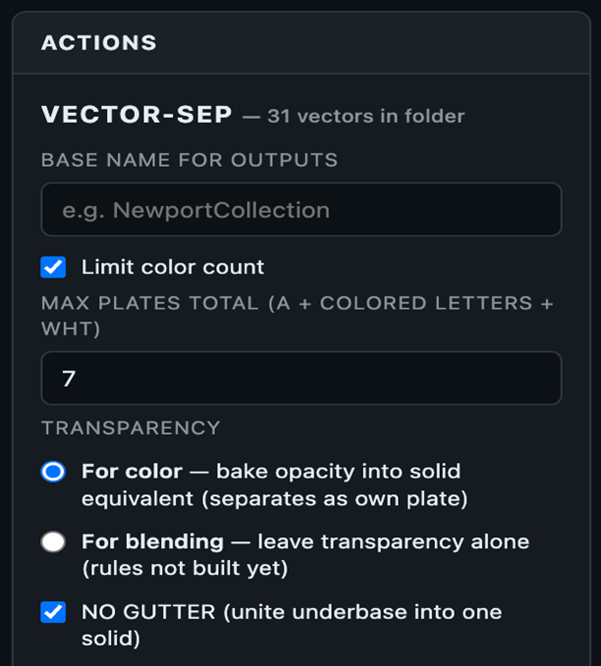
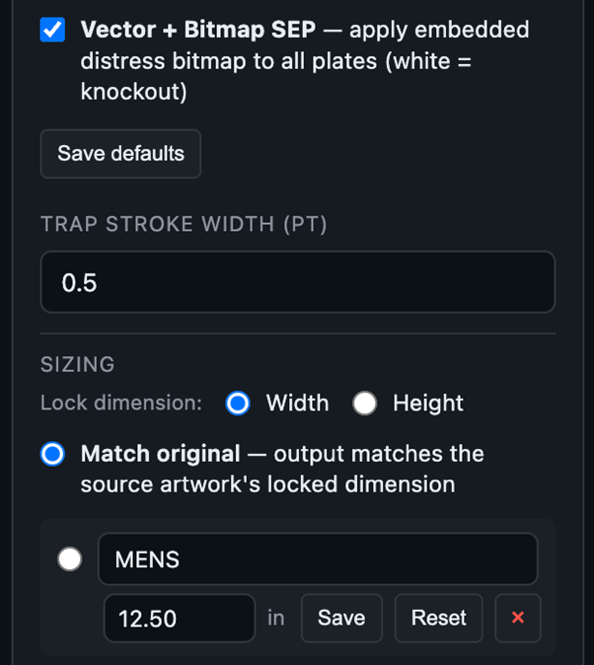
Pictured above: What a custom separation tool for an apparel decoration shop might look like. | Credit: Michelle Moxley
The development sequence holds across every tool built in this space: Identify the one manual step that's slow, error-prone, or frequently skipped under production pressure. Build the narrowest possible automation for that step. Test it on real artwork. Expand only when it holds.
The script isn't the product. The production knowledge baked into it is.
Capturing the Rules in the First Place
Before any of those downstream tools can do their job, something must capture what the rules are. That means capturing the written art-department SOPs or completed press instructions from finished jobs. Each rule gets pulled out in a form downstream code can use: a clear statement, the source documents it came from, and the exceptions where it doesn't apply.
The structure tells you which rules are safe to automate, and which still need a human in the loop. A rule with 300 supporting cases and two clean exceptions can ship. A rule with 12 cases and three exceptions cannot, no matter how confident anyone feels about it.
What you end up with is a living rulebook tied to the shop's own production history. When a senior operator retires, the judgment doesn't walk out with them. It's already in the system, indexed, evidenced, and ready for the next tool in the pipeline to consume.
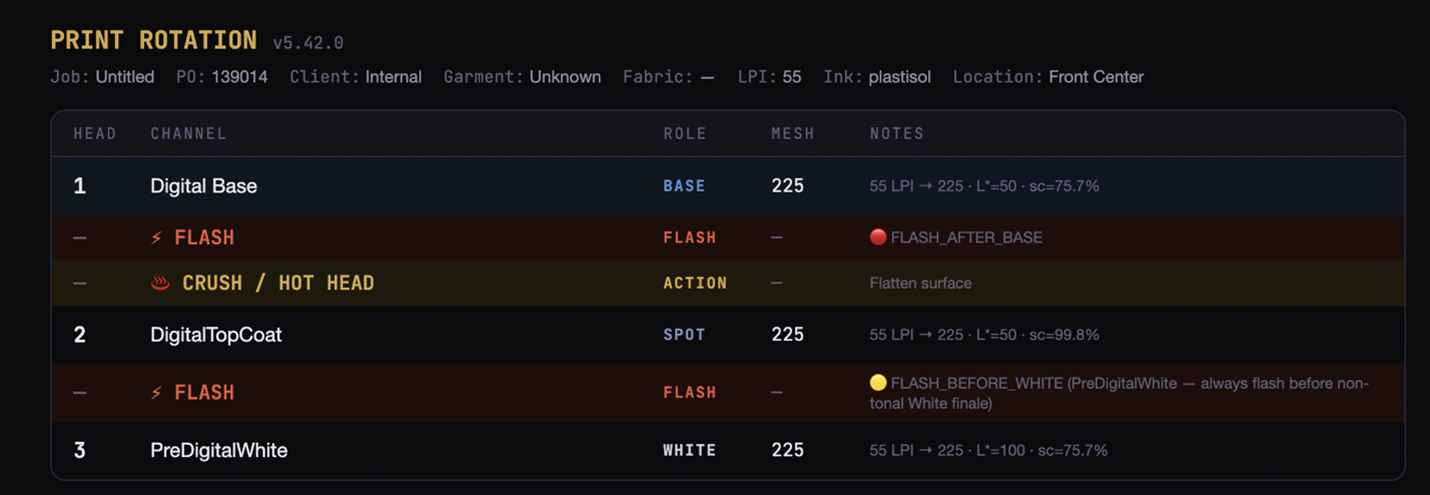
Validation is the Difference
Extracting a rule and shipping a rule are not the same step. A pattern that looks clean across the cases you happened to look at can quietly fall apart on the cases you didn't. So, before any rule goes into the live engine, it gets tested against a baseline of real production jobs with a known ground truth.
The candidate rule runs against that set twice: once with the rule in place, once without. The number that matters is the delta — not “did it help on the job I was thinking about,” but across the whole baseline. Did it net more correct decisions than incorrect ones, and by how much.

That discipline is what separates rules from a pile of plausible heuristics, and it gives you something to point at when an operator pushes back. It’s not a hunch, but a number measured against their own shop's history.
This is How the Industry is Going to Operate
The barrier isn't the technology. It’s the translation layer between production knowledge and working code. Shops that close that gap will run leaner, proof faster, and separate cleaner than shops still carrying those rules in their heads.
The roadmap isn't complicated: identify the manual handoff, encode the rule, test on real work, deploy. Repeat. Each tool you add makes the system more capable. Each constraint you encode is one fewer thing a human must remember under pressure.
Building this kind of pipeline for your shop? That's what Ink Kitchen AI does. Reach out — I’m happy to talk through what's possible for your operation.