
Software Essentials: How to Determine the Right Programs for Your Print Shop
If you’re evaluating your shop’s tech stack, be sure to include a CRM, shop management, and security software on your shortlist.
Along with top-notch decorating equipment, you need the right software, including customer relationship management, shop management, production, and security, to keep your print shop operating efficiently.
“Any apparel decorator or contract shop that wants to stay competitive in today’s marketplace needs software to maintain efficiency and organization,” says Michael Clark, content marketing manager at Inktavo, PRINTING United Alliance member.
We’ll run down the types of software and best practices to put in place to keep things running smoothly and safely.
Staying Competitive With a CRM
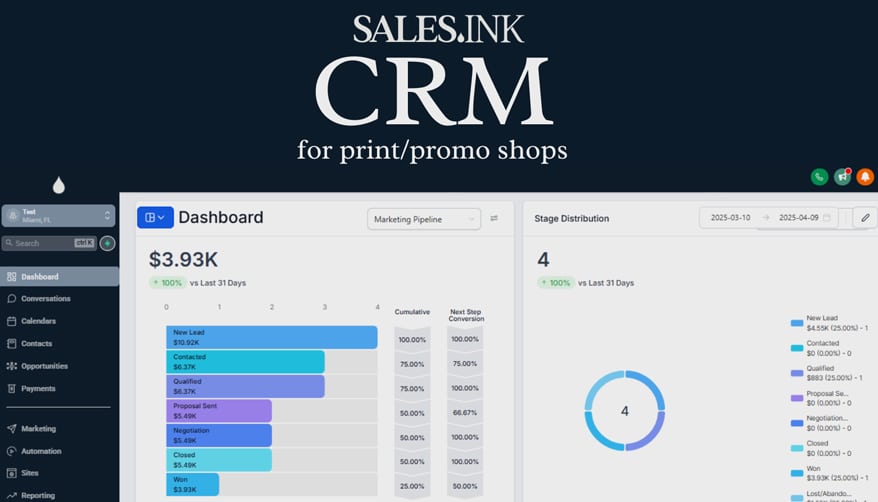
A customer relationship management (CRM) platform is the backbone for managing customer interactions, sales pipelines, and follow-ups in your print shop. “For decorated apparel shops, which often juggle high-volume inquiries and custom projects, a CRM ensures no lead slips through the cracks, quotes are followed up on, and customer data is always at your fingertips,” says Kevin Baumgart, president of Sales Ink.
With on-demand buying and expected lightning-fast turns, shops that have a centralized CRM system can respond more quickly, track buyer behavior, and maintain client relationships. “These are the key ingredients to staying competitive,” Baumgart says.
Already using a CRM but not sure if you’ve outgrown it or if it’s the wrong fit? Baumgart says the signs usually show up in your sales results and workflows.
“CRMs should enhance, not hinder, your sales process,” Baumgart says. “If reps are skipping data entry because the system is too clunky, or if the tool doesn’t integrate with your quoting or production workflows, you’re likely using the wrong solution.”
Another red flag is not using your data to grow your sales. “If your CRM isn’t helping track KPIs like response times or conversion rates, you’re flying blind,” Baumgart says.
One of the biggest mistakes when researching CRMs is focusing only on its bells and whistles features, rather than how well it aligns with the way your shop sells. Another common misstep is failing to get team buy-in during evaluation. “If your sales reps don’t use it, it’s useless,” Baumgart says.
Many shops also forget to plan for onboarding and training. “A CRM is only as powerful as the process behind it,” Baumgart says. “Choose one that’s intuitive, quick to implement, and doesn’t require a full-time admin to maintain.”
Some CRM tools integrate well with shop management software, though the level of integration varies. What’s more important is choosing a CRM that plays nicely with how your team works. “While analyzing what CRM is right for you, ask what production tools they’ve integrated with,” Baumgart says. “Look for workflow and process to eliminate double entry and allow orders to flow.”
Staying Organized With Shop Management Software
“Many of your customers are attuned to e-commerce and all the conveniences of doing business online,” Clark says. “The more print shops and contract decorators can foster that experience, the better their chances of retaining customers and finding new ones.”
With so many tools available, Clark recommends starting your selection by determining your biggest hurdle, then looking for a solution.
Issue No. 1: Your orders often get delayed or lost.
Solution: Consider order management software, which helps organize customer orders along with billing details. This helps standardize SOPs for every order, moving from quote to finishing, reducing errors. “You can then move quickly from approval to production status,” Clark says.
Issue No. 2: Your staff often misses deadlines.
Solution: Look at production management software. “Think of this like a ‘digital whiteboard’ that helps production managers schedule customer jobs by priority and size, and make that schedule easy to read and find for the rest of the team,” Clark says. “Shops can use this tool to see where delays often occur, which parts of production are operating faster, and help decide where they might need to scale up or down. It also helps shop teams identify their busiest and slowest seasons so they can plan better.”
Issue No. 3: Complicated invoicing and billing hurt your profits.
Solution: Look for software that has secure payment capabilities. “That can make a major difference for customers who don’t want to deal with paper checks,” Clark says. “Plus, a concise digital record of payments received and applied reduces errors in bookkeeping and the rate of delinquent customers.”
Issue No. 4: Your artists lose time when customers don’t know how to prep graphics.
Solution: Instead of recreating low-res artwork, use software to build a design for customers with pre-existing elements specifically designed for print production and free of licensing issues.
“Find software that includes graphic elements that can be used to create professional mockups quickly and submit them to your customer online,” Clark says. “Plus, a platform that consolidates changes and approvals on a customer design keeps both parties accountable. This also makes the printer’s job easier since they have a well-organized chain of communication stored in the cloud instead of sporadic emails or hand-written approvals.”
Issue No. 5: You take on more jobs than you can handle.
Solution: When your software platform connects to major supplier feeds, you get a better sense of product availability. “Conversely, if the platform offers short-turnaround printing like DTF or DTG, it can reduce the amount of inventory it needs to stock and overall turnaround,” Clark says.
Issue No. 6: Your customers expect online purchasing convenience.
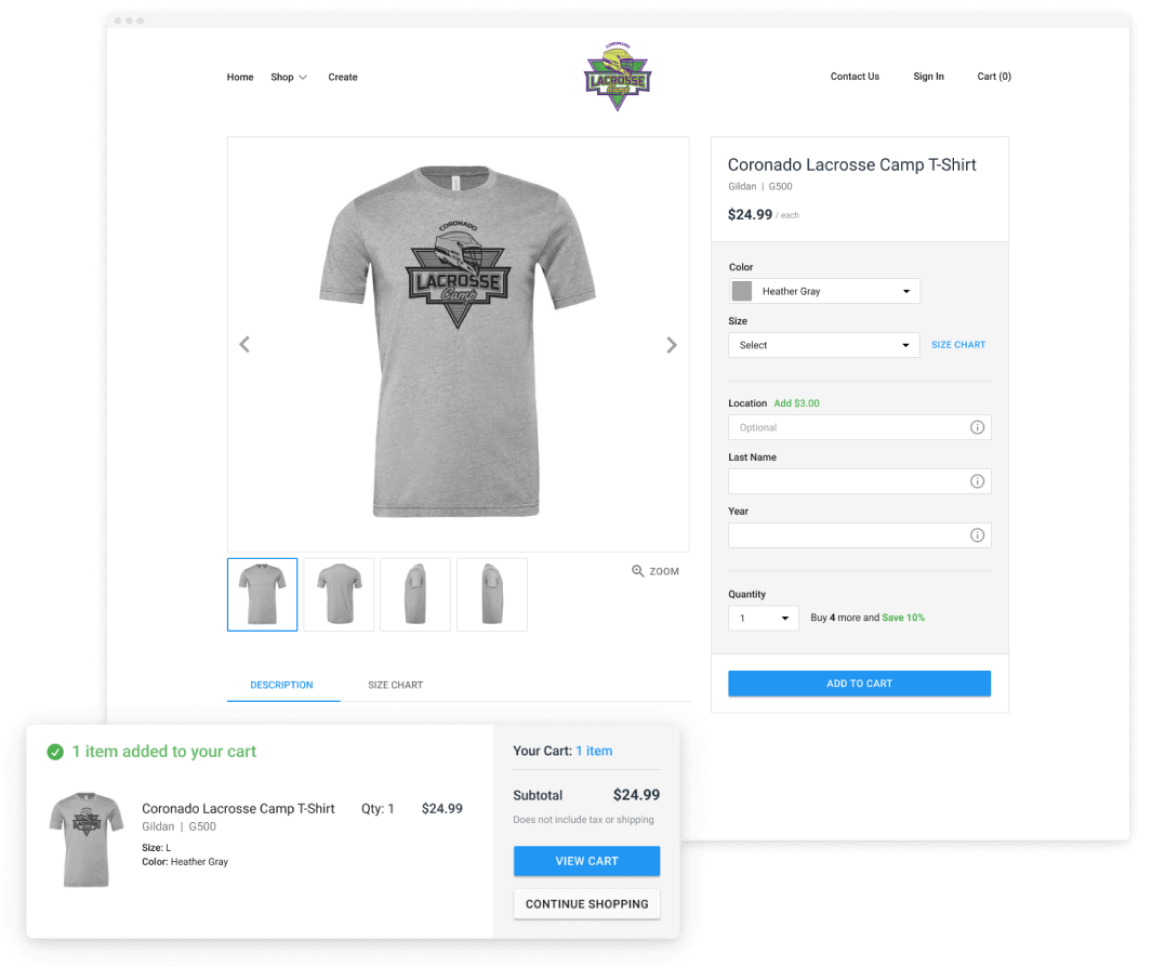
Solution: Whether you print for schools, teams, fundraisers, small businesses, or corporate clients, having a software solution that helps your shop offer customers online stores gives them a huge competitive advantage. “This is especially true if the online store creation process is fluid and doesn’t require extra backend design work,” Clark says.
Issue No. 7: Errors between departments cause lost time, rework, and customer frustration.
Solution: “Software that connects all shop departments not only improves morale and builds empathy across the board, but it also keeps everyone in the know about every customer order,” Clark says. “This reduces errors in every department, including sales, production, and even the art department (or, for smaller businesses, the designer).”
Protecting Your Shop With Security Solutions
Many print shops think they don’t need to worry about security. However, they couldn’t be more wrong.
“Small shops are often bigger targets because attackers know they’re easier to breach,” says Amy Servi, print practice manager at Clients First Business Solutions, PRINTING United Alliance Affinity Partner. “One ransomware event can halt production at the busiest time of year or wipe out years of customer artwork. Add AI into the mix, and you’re also at risk of unintentionally leaking customer designs or intellectual property.”
Consider also that hackers are no longer focused only on Fortune 100 companies. “They’re moving downstream, so for them a $50,000 payout from a small shop in under 24 hours is a win,” says Shawn Walter, tech service practice manager at Clients First Business Solutions.
Most small and mid-sized companies can be breached automatically by bots without a human ever lifting a finger. “The average cost to recover from a ransomware attack today is $5 to $6 million,” Walter says. “Cybersecurity isn’t optional anymore. It’s simply the cost of doing business.”
The most common software security risks include:
Another area to watch is the misuse of AI. For example, your staff might unknowingly drop sensitive customer artwork, designs, or pricing into generative tools like Adobe Firefly or ChatGPT.
“What most shops don’t realize is that when you use free AI tools, you’re often authorizing those platforms to store, learn from, or even repurpose your work,” Servi says. “In exchange for ‘free,’ you may be giving up control of your intellectual property.”
Keep an eye out for the new iLEARNING+ course, "Print Meets AI: Simple Tools for Smarter Work."
Using third-party non-standard artistic tools is another significant risk.
“Many of these ‘free’ or low-cost tools are unvetted, and you have no way of knowing if they contain hidden malware, phishing hooks, or even ransomware,” Walter says. “If the tool isn’t widely recognized or trusted in the industry, treat it as sketchy and avoid it. AI plug-ins and connectors that automatically push artwork or designs into Adobe or AI platforms without vetting where that data is stored are another concern.”
Mapping Out a Security Strategy
When your shop has integrated multiple systems like CRM, production, and e-commerce, you also need a strong security strategy.
Data leakage occurs when sensitive files, such as artwork, purchase orders, or credit card details, are exposed if they aren’t encrypted between systems. Custom-built integrations, or APIs, often also lack ongoing security monitoring.
“Sometimes employees can get super-user rights across systems just because permissions weren’t synced,” Walter says.
If you have limited IT resources, there are some things you can do to protect your data:
People and training
“Phishing training can be more valuable than new firewalls,” Walter says. “Don’t forget safe AI use. Train staff never to upload sensitive customer art, contracts, or financials into AI tools without approval. Review where your shop’s AI and art files are stored and who has access.”
Access and authentication
Use multi-factor authentication everywhere. That includes strong, unique portals, even for Adobe logins or art portals. Also limit users by their roles.
Infrastructure and backups
Use cloud-based providers, not just in-house servers. “Choose vendors, especially those that are SOC 2 and NIST Fundamentals certified (a baseline set of NIST security practices), that manage updates, security, and scale,” Walter says. They should automate your backups to the cloud and/or off-site and test recovery regularly.
Endpoint protection
Install anti-virus software on your computers. “This scans files and compares them against known malicious file signatures or hashes,” Servi says. “If a file matches something suspicious, it blocks it.”
EDR (Endpoint Detection and Response) goes a step further by monitoring system behavior. “This includes what applications are running, how resources are used, and whether activity is unusual for that user or device,” Servi says. “If something looks off, it raises a flag for investigation. You should also apply critical updates immediately, and updates and patches weekly.”
When evaluating new software, look for options that are SOC 2 and ISO 27001 compliant and have been penetration-tested by third parties. “Look for features like encryption at rest and in transit and multi-factor authentication,” Walter says. “For AI governance, you should be able to restrict whether artwork or customer data is sent outside your environment when using tools like Adobe Sensei or Firefly.”
Servi notes that a shop’s cybersecurity and AI strategy should evolve together. “As shops adopt tools like Adobe Firefly, Sensei, or other AI-powered platforms, the focus can’t just be on creative output,” she says.
“You also need to think about data governance. Your artwork and customer IP are among your most valuable assets. Treat them with the same level of protection as you do your presses and production floor.”

Credit: akinbostanci, Getty Images
The Importance of UX/UI For Print Personalization Tools
By Marcin Majda, CEO and Co-Founder of Antigro Designer
Today’s print buyers expect online purchasing to be fast, seamless, and intuitive, whether ordering a standard product or creating a fully customized design. Because of this, user experience (UX) and user interface (UI) are increasingly critical to the success of print personalization. As personalization expands beyond basic options such as simply changing the color of a T-shirt or adding names and numbers to a sports jersey, design workflows have in turn grown more complex and the quality of the UX/UI of print personalization tools now directly impacts conversion rates and customer retention.
A poor experience during the personalization process often results in frustration, cart abandonment, and lost revenue. In contrast, a streamlined, enjoyable workflow means customer satisfaction and an increased likelihood of repeat sales, as well as positive recommendations and reviews.
Strong UX/UI removes the friction from the process and makes creativity accessible to print buyers regardless of their design knowledge or expertise. Features such as fast image uploading, clear resolution warnings, smart cropping and positioning, and automated layouts simplify complex tasks and eliminate guesswork. By combining speed and clarity with intuitive navigation, personalization platforms can turn what might otherwise be a barrier into a positive and even enjoyable part of the buying journey, and when you add Artificial Intelligence (AI) into this mix, the efficiencies are boosted even further.
AI and smart features enhancing UX/UI
By automating repetitive or technical design tasks, AI-driven features minimize user frustration while expanding creative potential in print personalization tools. For customers without design expertise, these tools deliver professional-quality results quickly and reliably.
Smart background removal is one example.
Real-time previews further strengthen the UX by allowing customers to see adjustments instantly and refine designs with confidence. This increases accuracy and reduces errors as well as builds trust in the final product and lowers the cart abandonment risk. Features such as automated layout adjustments and intelligent cropping ensure that design flexibility doesn’t come at the cost of usability.
These benefits also extend beyond apparel. Personalized photo books and calendars, for example, are both popular options within the gifting market, and because of the multiple pages, images, text, and graphics involved, good UX/UI is an important consideration for these products too. Diversifying into products like photo books, or outsourcing them to trusted partners, can open new revenue streams.
Investing in UX/UI ahead of seasonal demand
The timing of UX/UI improvements is critical. Holiday seasons drive significant demand for personalized gifts, and the best personalization platforms simplify the creative process while offering flexibility and enjoyable interaction.
Launching new tools or refining existing workflows ahead of peak demand allows businesses to test functionality, optimize user journeys, and resolve inefficiencies before order volumes spike. Beyond the holiday season, investment in good UX/UI can also result in long-term customer loyalty. With the help of AI and smart features in print personalization tools, garment and apparel print businesses that act now will not only maximize seasonal sales but also build stronger, long-term customer relationships.
Getting Started With the Right Software
With so many software tools available, it can be difficult for a shop owner to prioritize what to invest in first or which vendor to choose. Baumgart recommends starting with the tools that create an immediate ROI. “A CRM is often the highest-leverage system you can implement because it directly impacts lead conversion and customer retention,” he says.
Once you've decided on the type of solution your shop needs, schedule a demo with vendors to gain a deeper understanding of the platform's functionality and explore plan tier options that fit your budget and needs.
“You can see how it can improve your day-to-day operations,” Clark says. “Some vendors do a 30-day free trial with zero commitment or credit card requirement, which is a no-risk way to try out software and find something that works for you.”
A vendor who understands the print industry, as opposed to a big brand solution, can serve you best in the long run if it can help your team get more done with less complexity. “Ask if you can customize the functionality to remove features that your team will never use,” Baumgart says.
Purchasing software from the same brand can be helpful if you’re concerned that your production software won’t integrate smoothly with other tools like a CRM, an e-commerce platform, or accounting systems.
“Otherwise, using integrations like APIs can help connect different systems so that they ‘talk’ to each other,” Clark says. “This can be a learning curve for some, so hiring outside help may be required if the owner isn’t well-versed in software.”
To increase your chances of choosing the right solution for your shop, involve your team early in the decision-making process. “Let them see how the tool will make their day easier, not just track their performance,” Baumgart says. “One of the best strategies is to tie the CRM to compensation or KPIs. If it’s not in the CRM, it didn’t happen.”
Of course, “set clear expectations, provide initial training, and reinforce use during sales huddles or 1-on-1s,” Baumgart says. “And keep it simple. The easier it is to log notes, set reminders, and track quotes, the more likely your team will stick with it.”
Clark cautions against going with any product that’s primarily advertised as being “super cheap.” “There are decorated apparel software products on the market that might initially seem like a good deal if they’re significantly below the price of other solutions, but they’re usually cutting corners somewhere to save money,” he says. For example, the vendor might be outsourcing software development or offshoring customer service, which can be risky.

Before making any purchases, check that your vendor has a dedicated support team and regularly makes product updates and improvements.
“Legitimate vendors will also be comfortable answering questions about their latest features on a demo call,” Clark says. “And you’ll be assigned a rep you can call when you have issues or need more help.”