
Mixed Media, Maximum Impact: How to Go Beyond Basic DTF
Key Takeaways:
- Mixed media designs add texture, depth, and perceived value that allow you to charge premium prices.
- Special effect HTV works best as a complement to DTF. Use it to enhance key elements without overcomplicating the design.
- Test before production to ensure compatibility and preserve quality across every order.
Direct-to-film (DTF) is everywhere. That’s why decorators are looking for alternatives like mixed media techniques to break through the noise with textures and effects. It’s always about finding finishes that get noticed and get results.
DTF has dominated the apparel decoration industry in recent years, and for good reason. Its versatility, efficiency, and vibrancy have made it a go-to for businesses. We've also seen new decorators in the industry use it as the default, one-size-fits-all decoration method for their business. But as more businesses adopt DTF, it's becoming harder to stand out. That's where mixed media printing comes into the picture.
Combining DTF decoration with special-effect finishes allows you to create standout apparel that can be sold at a premium price. While mixed media was once primarily used with heat transfer vinyl (HTV), many decorators moved away from it as DTF grew in popularity due to its cost and production efficiency.
Today’s decorators can tap into the best of both worlds. By combining the benefits of DTF with eye-catching finishes, you can deliver elevated looks with less time, effort, and expense. A new era of mixed media is here — here’s how to make it part of your offering.
Why Mixed Media Still Matters
Even with full-color transfers doing the heavy lifting, HTV remains a valuable tool for decorators who want to offer something truly unique. Layering specialty finishes like glitter, metallic, puff, or flock can unlock new levels of creativity and customization.
Textures, effects, and dimensional elements instantly elevate your apparel and create a premium look and feel. That kind of impact allows you to charge more, and customers are willing to pay for standout pieces that feel one-of-a-kind.
Mixed media is especially effective for short runs, limited-edition drops, and designs that need to make a bold impression. By mixing techniques and finishes, you can break through the noise and differentiate your brand in a competitive market.
“DTF is still relatively new to the garment decoration industry, but decorators adopted it quickly thanks to its efficiency and high-perceived value,” says Kelly Walters, STAHLS’ director of experimental marketing. “Now that so many businesses rely on it as their primary print method, the challenge is standing out without investing in new equipment. That’s where mixed media comes back into play. Just look around at popular retailers or sports shops, and you’ll see mixed media designs everywhere.”
Special-Effect HTV to Elevate the Look
There are many ways to achieve a mixed media look on apparel, thanks to the wide range of textures, finishes, and effects available with HTV.
While glitter and rhinestones have made a strong comeback, dimensional materials like foam, flock, and silicone HTV are key to creating that raised, tactile look. DTF offers vibrant color and fine detail but is flat and thin. Pairing it with HTV materials that add texture, lift, and light reflection gives your artwork literal and visual depth.
One approach is to use HTV to complement and enhance your design. In the examples below, CAD-CUT soft flock HTV is used to frame a FlexStyle emblem logo, and various finishes are applied across multiple print locations on a hoodie. These added textures not only create visual and tactile interest but also elevate the perceived value of the garment, allowing you to charge more and increase your profit margins.
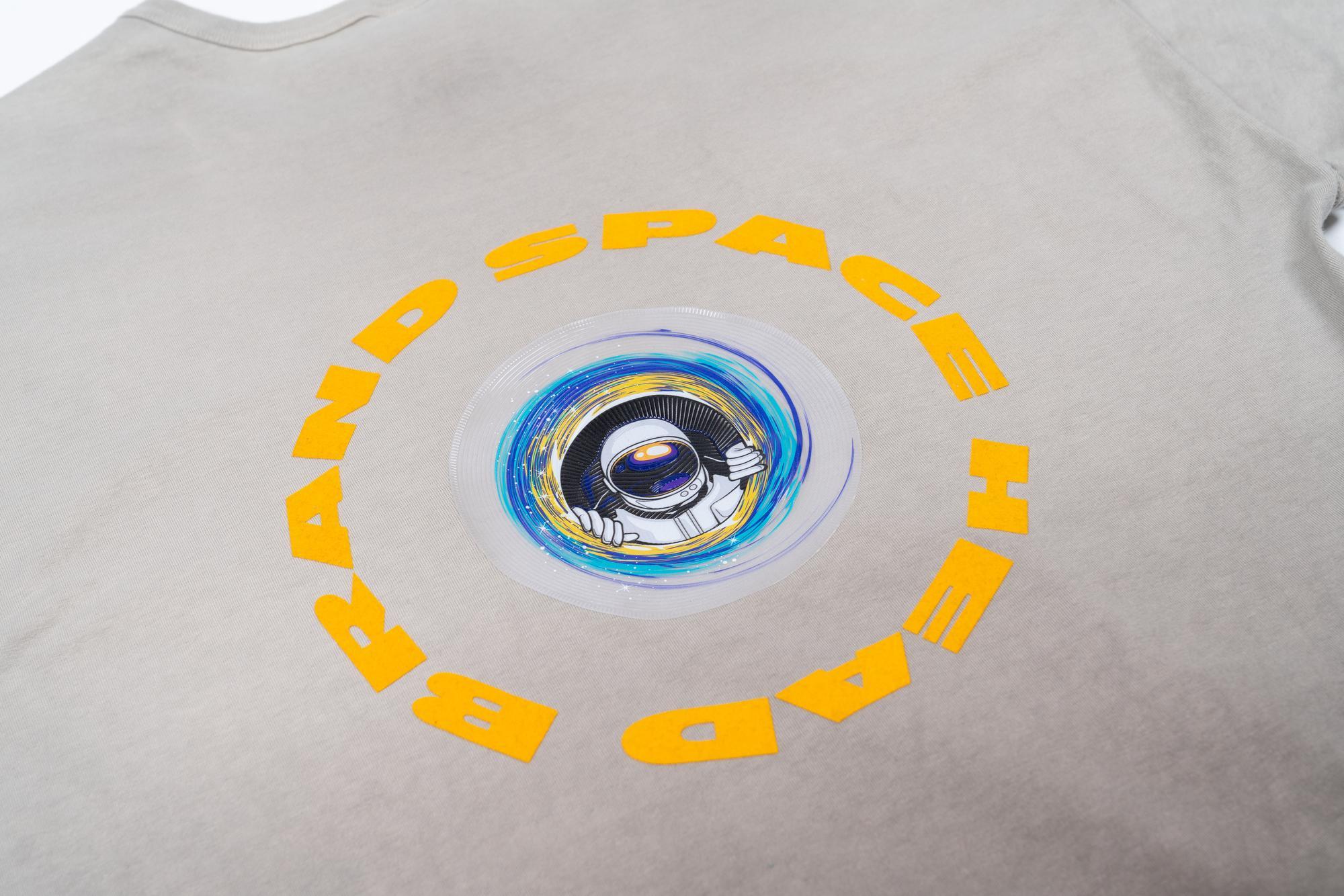
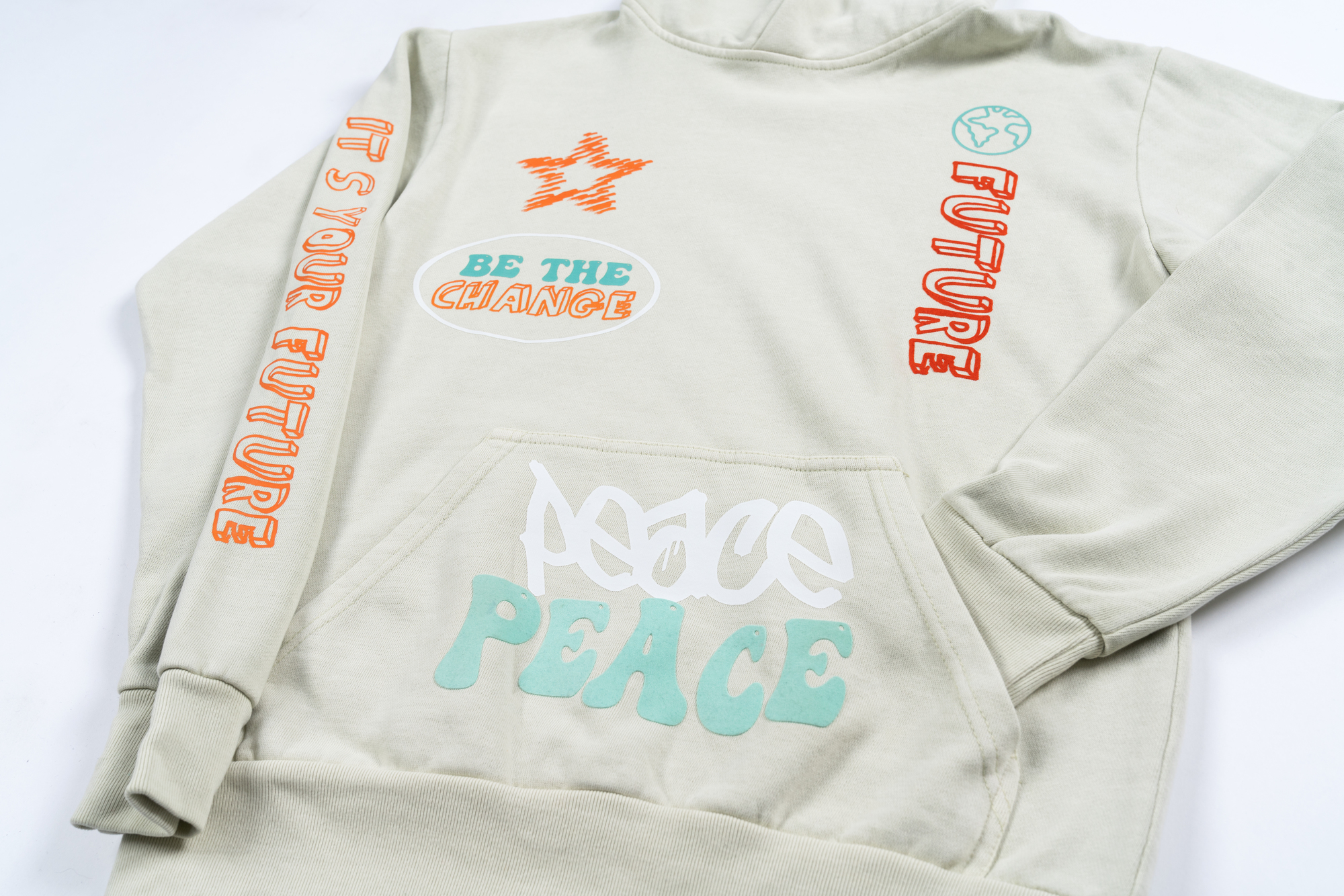
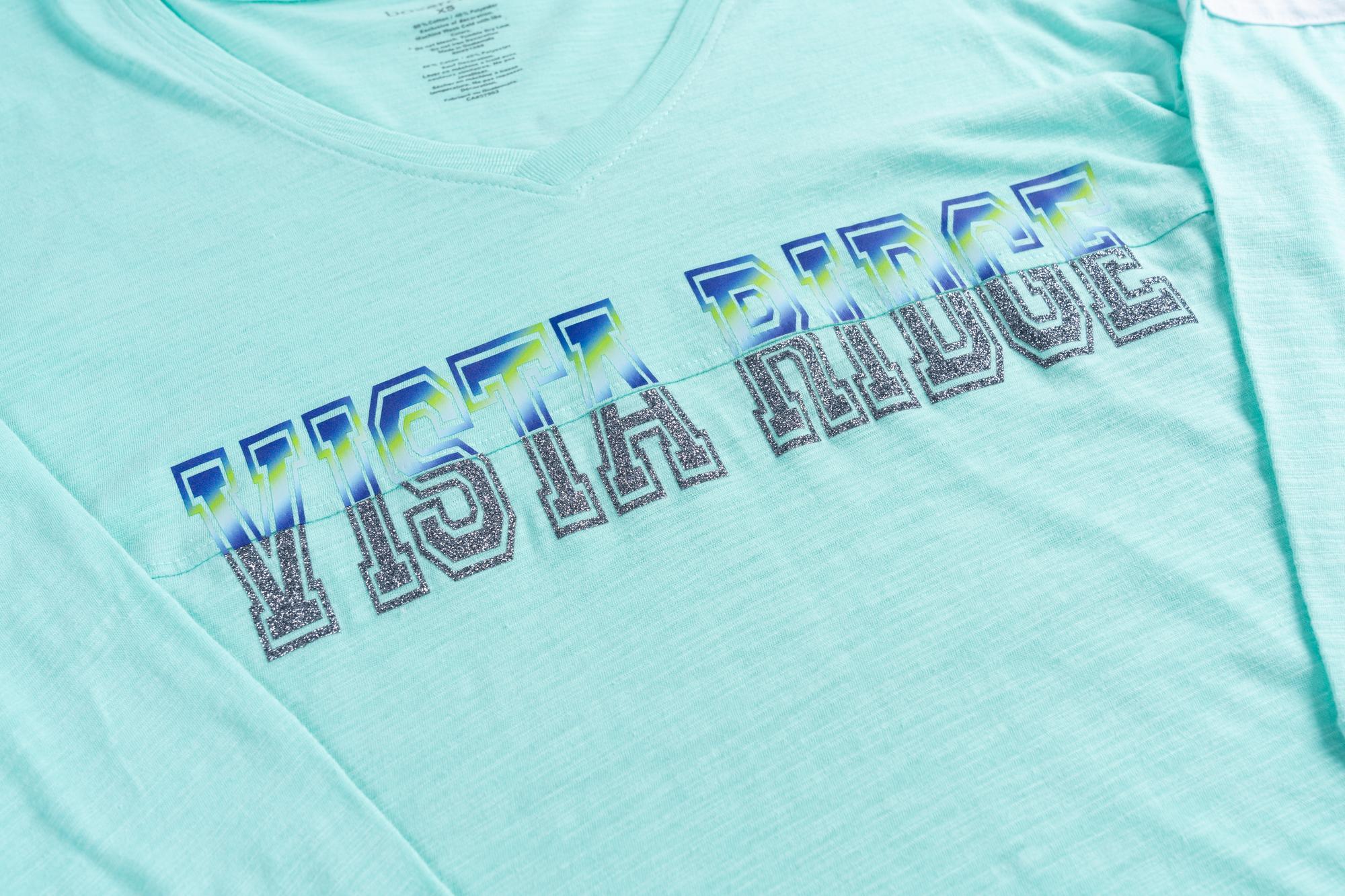
CAD-CUT Glitter Flake with UltraColor MAX DTF. Credit: STAHLS' | Credit: STAHLS'
Another method is to layer special effects within a single design. For instance, in the example below, an UltraColor MAX transfer is used to create a colorful gradient at the top of the logo, while CAD-CUT Glitter Flake HTV is applied to the bottom, adding a striking, shimmering finish. The result is an eye-catching design that’s also cost-effective to produce.
No matter which materials you choose, the key is intention. Be selective with the finishes you combine and understand how each one contributes to the overall look and production process. Whether you're focused on maximizing ROI, improving efficiency, or delivering a major wow factor, understanding HTV materials and how they apply is essential to your success.
Designing for Mixed Media: Setting Up the Artwork
When setting up the artwork for a layered mixed media design, think in terms of production planning. Maximize visual impact by using special-effect HTV as accents or focal points rather than covering the entire design. This not only saves on material costs but also keeps production time and labor to a minimum. Remember that every element of the design is a press step, so be strategic.
When designing for mixed media, separate your design by material type and color. Each layer or effect should be isolated in its own cut or print file to ensure accurate production and alignment.
To make alignment easier during pressing, incorporate clear registration marks or use a “cookie cutter” style design where one element nests into the other. This makes manual layering faster, more accurate, and more consistent.

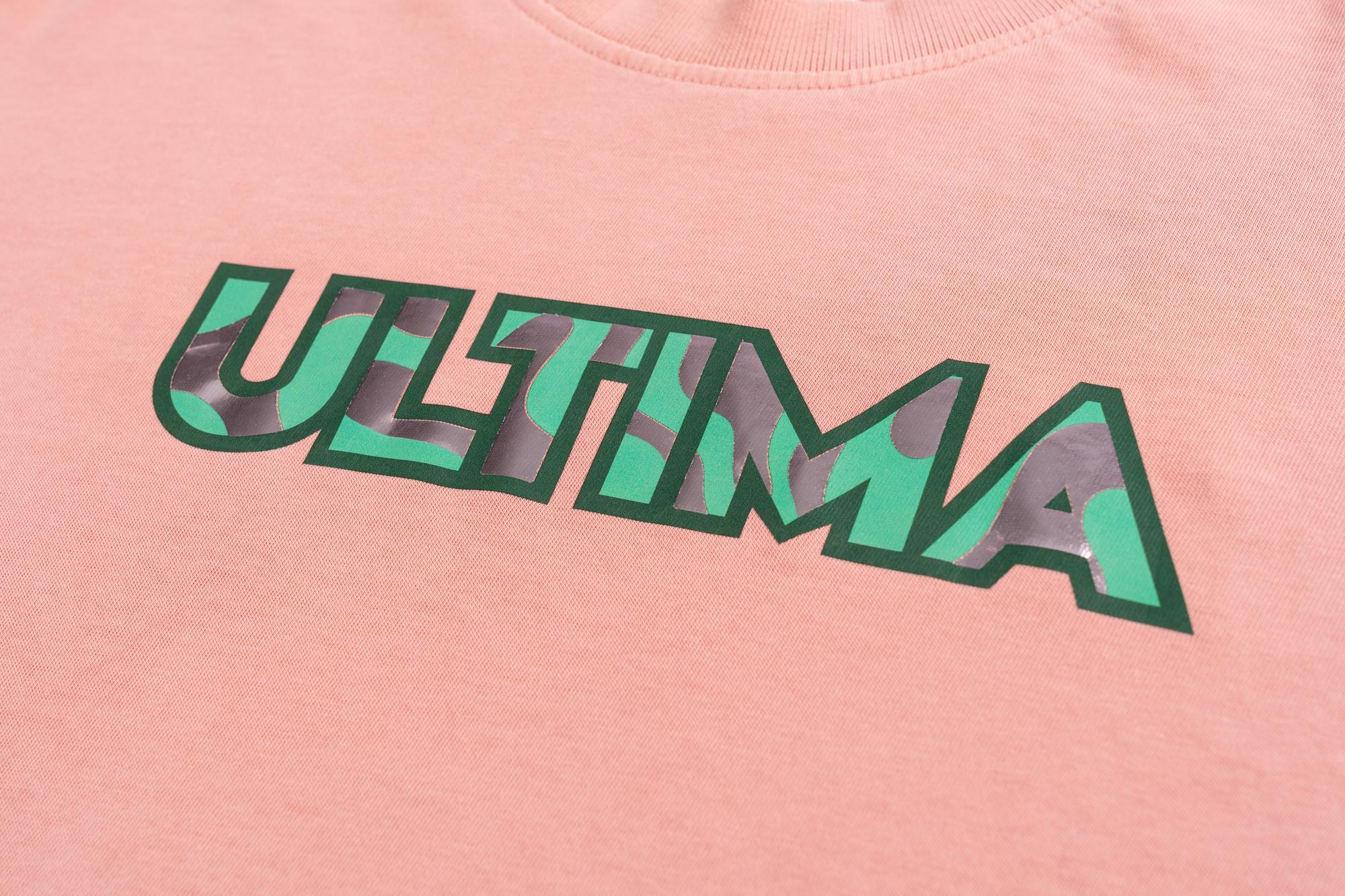
If you’re planning to layer HTV over DTF or another HTV, make sure the materials are compatible. Not all HTV products are designed to be layered, and some adhesives may not bond well with other materials. Always check manufacturer guidelines, and when in doubt, test before production.
Also, be aware of how some materials visually react to a second press. For example, CAD-CUT soft metallic has a polished metallic finish upon initial application, but if pressed again, it can take on a brushed look. Puff materials like CAD-CUT puff can lose their dimensional effect if reheated, so make sure these finishes are applied last.
Application Tips for Production Efficiency
Applying mixed media designs doesn’t have to slow down your workflow, especially if you plan for production efficiency.
Start by considering the application temperature for each material. DTF and HTV products available on the market today can range from 275 F to 350 F. The goal is to pair materials with similar temperature needs to avoid excessive press adjustments. If there’s a slight temperature difference — say, your DTF applies at 290 F and your HTV at 285 F — apply both at the higher temperature. Begin by tacking down the first layer for a few seconds, then follow with a full press on the final layer.
Peel type also affects your workflow. If one material requires a cold peel, apply the hot peel layer first so you're not waiting for the design to cool before continuing. This approach helps streamline the pressing process and reduces unnecessary delays.
As always, if you're ever unsure about the process or combining specific materials, test your design before full production. Quality and consistency matter, and your reputation depends on it.
Utilizing mixed media designs is a great way for your business to stand out from competitors. With the right materials, artwork setup, and press techniques, mixed media designs are more accessible and efficient than ever.
Whether you're creating limited-edition drops or looking to refresh your product line with trendy new styles, now is the perfect time to explore what mixed media can do for your business.