
AI Guidelines and Tools
Videos, examples, and arguments on how and why you should use AI in your apparel decorating business
As you are undoubtedly aware, there is this thing lurking around called AI. AI stands for Artificial Intelligence. Thanks to a pop culture education, most people think of AI as a combination of Mr. Spock or Data from Star Trek and all of the Terminator movies combined.
I like to think of AI as another tool in the productivity toolbox. Sure, nobody knows how they work, but does it matter if you can shave chunks of time from a task and possibly get better results than if you did it yourself?
For apparel decorators, the main platforms people use are ChatGPT for text and an image creation tool such as DALL-E 3, Ideogram, or Midjourney. Have you played around with these yet?
You should.
This article makes the case for using them and gives a tiny sliver of possibilities with a few examples. Why so few? Because this is an article, not a book.
ChatGPT – Your Next Favorite Thing
In this section, we’ll cover exactly what ChatGPT is and give you three examples that you can use today to make your shop more efficient. If you aren’t already using this tool daily, you’ll soon discover why it should be part of your routine.
ChatGPT has been around since 2018, which is practically nothing in business years. However, its impact on the planet is remarkable. There was AI before ChatGPT, but this tool was the game changer.
First and foremost, it is a chatbot, which means it is built to carry a conversation.
Because it is a chatbot, any result you get back on the first try, you should instantly ask it to “analyze the previous results and offer suggestions to improve. Then automatically rewrite the results using the suggestions.” This has proven a great way to get the best results with the least effort.
Other Writing Tools to Consider
Grammarly – This is one of my most trusted partners. Why? Because it suggests better ways to write, corrects my lazy finger typing mistakes, and constantly watches my writing across multiple platforms. For example, although you can’t see them, Grammarly found four mistakes and suggested corrections in the previous sentence. Which obviously, I accepted, as they no longer exist.
PowerThesaurus – Sure, you’ve used a thesaurus before. But have you used a POWER thesaurus? What I like about this program, besides being free, is that you are not inundated with pop-up ads. Also, the suggestions are better … especially for Midjourney prompts. It’s great for writing, too.
AnswerThePublic – Sometimes, knowing what people are searching for online is gold. AnswerThePublic is a great place to find the answer.
GPT is a “Generative Pre-Training” model trained on an immense large language model dataset. Rumor has it that ChatGPT 4 has 1.76 trillion parameters. A parameter is a setting that influences how the model behaves and performs. You can think of them as knobs or levers that control how ChatGPT behaves — 1.76 trillion knobs and levers is one hell of a control panel.
Using ChatGPT 4 is amazing. While you should always double-check for accuracy, the results given for requests are usually fast, efficient, and usable. To employ ChatGPT 4 in your business, you must go to OpenAi.com and create an account. At the bottom, you’ll see a prompt window. Type in some instructions and hit Enter. ChatGPT will start writing a response instantly.
Example One - Weekly Marketing Calendar
Customize this prompt example for your business, try it with ChatGPT, and discover your results.
“My company is a small business screen-printing shop that specializes in custom decorated apparel to outdoor enthusiasts. We create amazing designs that we sell online with a Shopify store, in retail locations, and also custom bespoke work for local businesses. Please create a weekly content calendar. Develop 52 ideas for content that we can create to show off our designs, skills, and business. Label and number each week, and then provide a short sentence or two describing the unique content we should create. Analyze the results and offer suggestions to improve. Then automatically rewrite the results using the suggestions.”
Here’s a great way to get a year’s worth of marketing ideas in about a minute and a half. What you do with these great ideas is the hard part.
Example Two - Online Store Product Description
Let’s say you have an online store for a local high school. You want to encourage online sales for the Class of 2025 senior shirts for the Firecreek Mountain Wolverines. You are using a Jerzees 29MR T-shirt in True Red, and the design is a five-color full-front print.
You want to use ChatGPT to write a product description for the online store, but this can also be reused for marketing purposes if it is good enough. Here’s the prompt to use:
“Write an online store product description for the Class of 2025 senior class shirts for Firecreek Mountain High School. Wolverines is the mascot. Use casual language and descriptions to entice high school seniors to buy the shirt. All proceeds will go to the Grad Night Fund for the post-graduation party. The design is a full front, five-color design on a Jerzees 29MR True Red T-shirt. Here are the product details:
- 4 oz./yd² (US), 9 oz/ L yd (CA), 50/50 cotton/polyester
- Pre-shrunk
- Advanced moisture-management performance
- Noticeably softer hand & excellent printability
- Shoulder-to-shoulder taping
- Double-needle stitched sleeves, bottom hem, and front neck
- 1x1 ribbed seamless collar
- Quarter-turned to eliminate center crease
- Tear away label
This product meets the following Sustainable Style subcategories:
Sustainable Manufacturing
Socially Conscious Manufacturing”
Wolverines Store Product Description
This example was a little more involved. In the end, a great product description was created, and it is good enough for some sections to be used on other marketing pieces, too.
Example Three - Sales Letter
One area that shops like yours are using ChatGPT for is writing email sales letters. This is great for drip marketing campaigns or following up after a networking event. In this example, let’s pretend that we want ChatGPT to provide a template for a sales letter for follow-up after meeting someone at the Chamber of Commerce lunch. Try this:
“I met Harvey Flubberduster at the local Chamber of Commerce lunch yesterday. He manufactures and sells titanium widgets at his local factory, which employs 850 people. Harvey suggested that I speak to his HR Director, Nancy Boopledoo, regarding putting together an employee online store program and merch to help with employee morale. Thank Harvey for the enjoyable lunch, and suggest a CTA to propose a meeting with Nancy next week.”
What is amazing in all three of these ChatGPT examples is that the user can modify and change the results to fit the intended use or dial in the tone of voice. If a person created these, changes would sometimes create frustration or other emotions. ChatGPT simply bangs out the new version in a few seconds.
AI Image Creators
Next up, let’s chat about AI image-creation and editing tools. Your art department is about to shift into another gear with these, provided, of course, that they actually use them.
I say that because I’ve heard from numerous people that “they won’t touch AI” in their work for various reasons. While this article isn’t about debating that point of view, using AI creative tools in any modern art department is inescapable.
While it is no secret that Midjourney is my favorite AI image-creation tool, there are a few more that you should consider. It is an arms race to outdo each other with these platforms. Do yourself a favor and try your hand with these to see what is a good fit:
- Midjourney – Requires a subscription. The fee is based on the GPU time and speed you want. The basic plan is $10 per month.
- DALL-E 3 – There is a fee, but you can get access for free through Bing.
- Ideogram – Free, but you can upgrade for more features.
- Adobe Firefly – Free is you are using the Adobe Creative Suite.
How These Tools Work
All of these AI image-creation tools work based on the diffusion model. The instructions for creating an image are prompts that you enter. Your prompts are converted to an algorithm built differently for each platform. Some platforms have better algorithms than others.
The algorithm turns random noise or static into an image. The algorithm for each platform is trained on a Large Language Model (LLM) with images and image-to-text pairs.
When a user types in “blue,” “cartoon,” and “horse,” the algorithm converts each word to a math formula. The more words in the prompt sequence, the more complex the math formula becomes. The algorithm uses the training that created the algorithm to convert the random noise to an image of a blue cartoon horse.
Because the diffusion model starts with random noise, it is impossible to get the same result twice. Also, this is how and why these tools are not copying and pasting anyone’s art to be able to create an exact replica of the original.
How to Use These Tools Today
These tools can create an image almost instantly. Most of the time, you will want to edit or correct the image. While you can have the tools create text with an image, if you are picky about fonts, kerning, or other font attributes, you will want to create those in your normal software, not AI.
The best results come if you have an outcome in mind before you start using the tool. Like with “normal” art, it pays to have something in mind before starting. Use a creative brief on what you want for the project before beginning. What colors should be used? Is there a particular artistic style or flair perfect for the image? What art terms or vocabulary could be used to get the best result?
It is important to take a few moments to consider the end result before determining the best prompts for your AI image creator program. Of course, you can wing it and let the tool drive the car, as sometimes unexpected results can be better than what you had in mind.
Example One: DTF Design
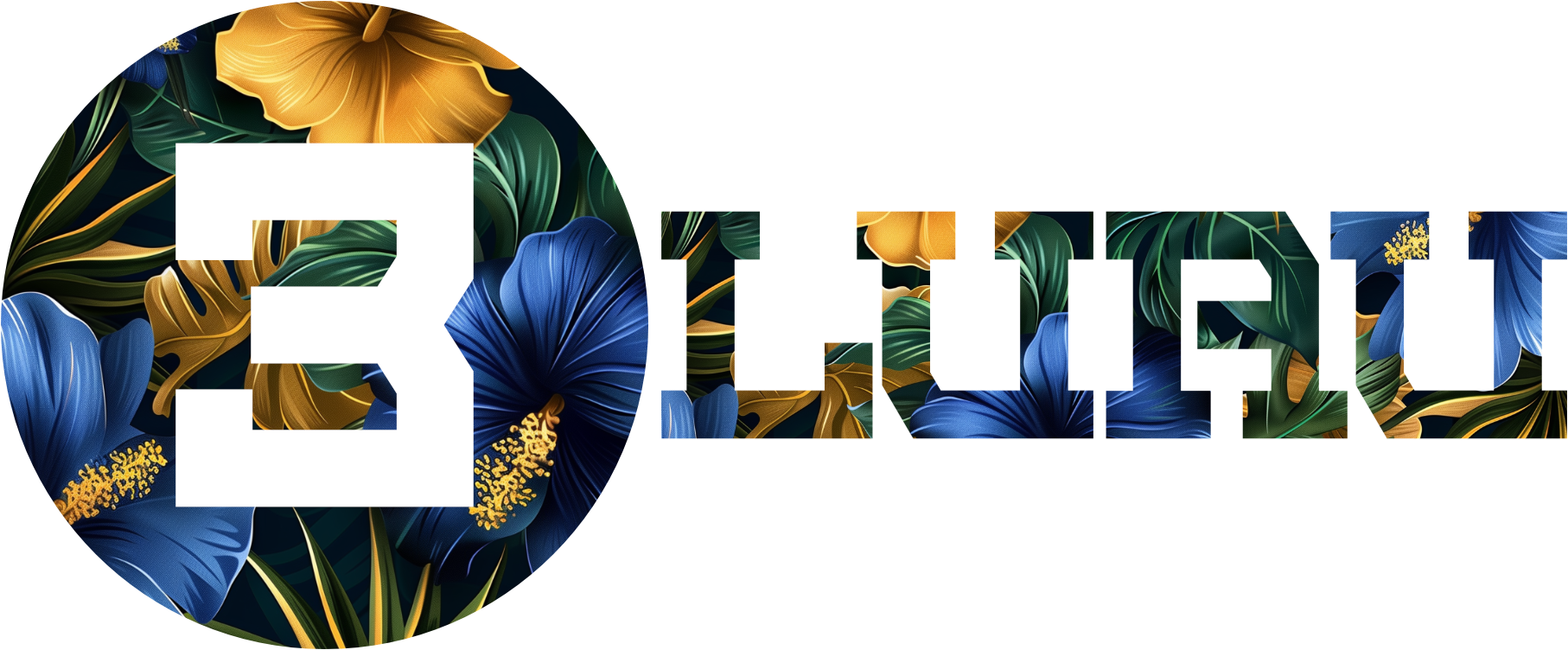
This first example is for a direct-to-film (DTF) project for some tote bags. The concept is a circle with a white number 3 and a tropical flower pattern inside as a background element. The company's colors are royal blue and yellow gold, so the pattern needs to use those in the art.
Using Midjourney, the background image is created in less than a minute using this prompt sequence: Tropical flowers, green leaves, minimalist, pattern, batik, Royal blue and yellow gold, harmonic color palette, Hawaiian floral pattern, --chaos 20 --ar 16:9 --stylize 200 –v 6.
From there, an upscaled image in Midjourney is downloaded and copied into the circular shape.
Before using AI, this custom design work would take hours to complete. As you can see from the video, it only takes a few minutes now.
Example Two: Movie Tribute Shirt
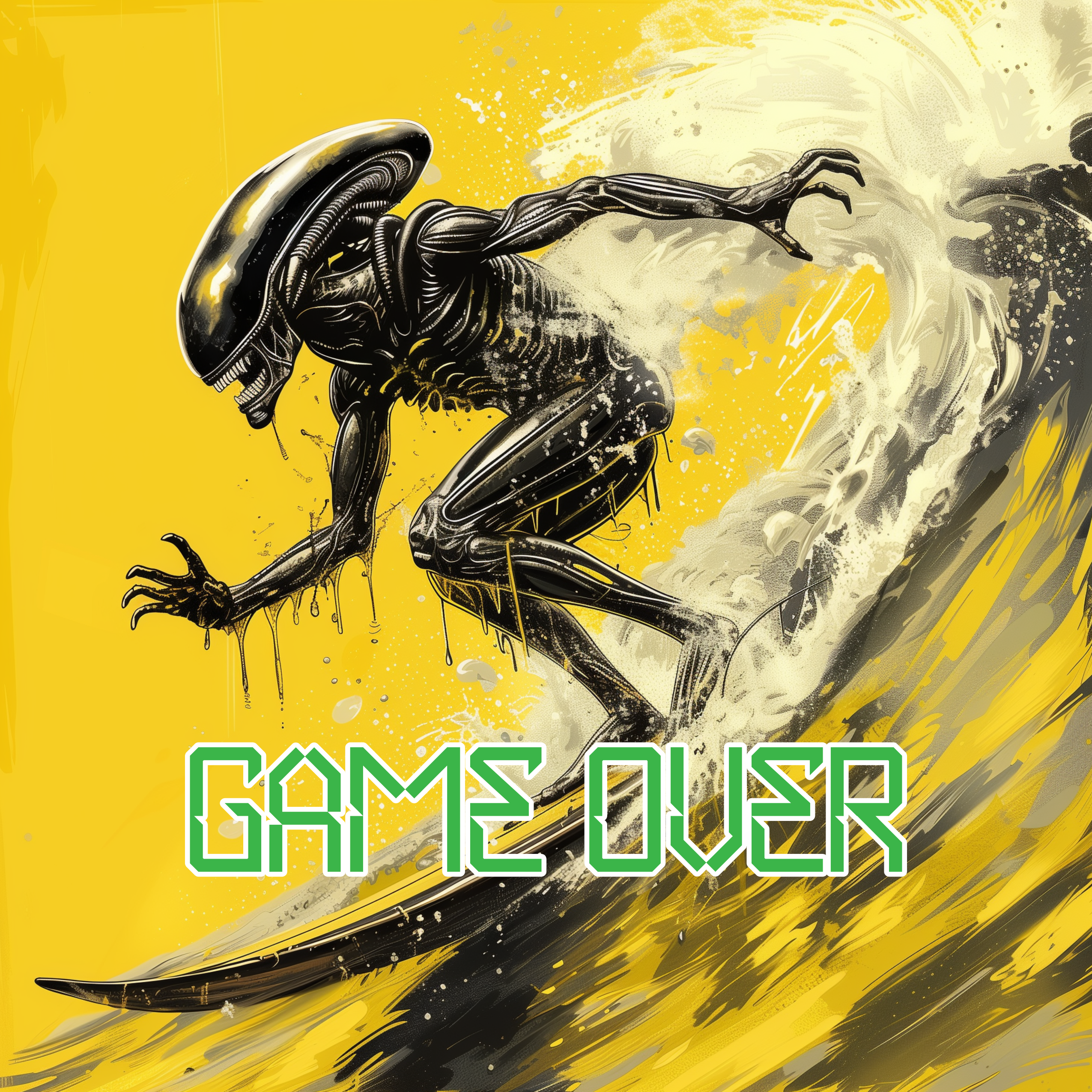
In this second example, a group of science fiction movie buffs in your town are traveling to a movie convention in California. The idea for the shirt is to have the alien creature from the Alien movie series hanging 10 on a surfboard. They want a bright yellow shirt to stand out, but want a fun, cartoony style that matches their funky sense of humor.
Your shop is printing these with DTG, so the color count is less important than the art. On the shirt, somewhere, there should be a large “GAME OVER,” which is a nod to the famous Bill Paxton line in the first movie.
This is a perfect job for AI.
Here are the prompts used: Xenomorph, surfing a tasty wave, Alien movie franchise style, graphic illustration, exaggerated comic book style, brushstroke line art, high contrast, full color, cinematic lighting, isolated, bright yellow background –s 100 –v 6.
In a matter of seconds, several dozen ideas come in through Midjourney. From there, a few are chosen for further development. The art is upscaled, downloaded, and brought into a design program for final editing and adding the words GAME OVER.
Example Three: New High School Logo
A local high school was built, and the student body named the mascot. They will be the Tigers!
Your shop has been chosen to create the tiger head logo that will be used on all of the merchandise and signage. Here’s where AI can help you create something great.
Here are the prompts used: Angry Tiger Head, mean, aggressive, brand identity, brand logo, iconic image, minimalistic, high contrast, with a light gray outline, with a orange outline, shadow pop art style graphic, isolated, on solid white background, --stylize 400 –v 6.
Wrapping Up
So, what do you think? With these six examples, can you see how using AI tools can help you in a few facets of running the shop better?
They say the best time to plant a tree was 20 years ago, and the second best time is today. Regarding AI, it is okay if you haven’t tested the waters.
Do yourself a favor and start playing with these tools. You can’t break them. Play around with them with the curious mind of a four-year-old with a new box of crayons. See what you can do!