
Mastering AI Generative Art
How I Built an AI-Powered Design Pipeline
At the end of 2025, I was producing four finished vector graphics per hour with a 40% buy-through rate for a chase business with a global retailer using AI. That number represented the full cycle, concepting, generating, refining, and exporting production-ready artwork for garment printing.
Every step was manual. I would open Ideogram, Recraft, or DALL·E, create a prompt, wait for results, tweak the prompt, regenerate, download the ones worth keeping, clean them up, and move on to the next design. It worked and was so much faster than not using AI, yet every minute spent clicking through web interfaces was a minute not spent on creative decisions.
Over the course of a few months, that number climbed to about seven graphics per hour. The improvement came from several directions at once. The AI models themselves got significantly better at prompt adherence, which meant fewer regeneration cycles per design. I got sharper at prompting, learning what worked for each platform, how to structure descriptions for consistent results, and when to use style references versus pure text prompts.
I also streamlined my file management, developed naming conventions, and built Photoshop JSX scripts that automated the mockup placement process and separations, including perspective transforms and alpha channel masking for complex garment features like hoodie drawstrings.
That progression from four to seven felt significant at the time. A 75% improvement in throughput over a year is real. But it was still fundamentally a manual workflow: me sitting in front of a screen, clicking, typing, downloading, one graphic at a time. The ceiling was always going to be limited by how fast my hands could move through interfaces.
Mastery: Generative Art at Scale
Every platform I relied on (Ideogram, Recraft, DALL·E) offers an application programming interface (API). The web interface gives you one image at a time with manual input. The API gives you programmatic access to the same models, which means automation, batching, and speed.
I built a Python pipeline that watches a set of folders on my computer. When I drop artwork into a folder, the script automatically sends it to Ideogram’s API, which describes what it sees in the image, then generates a new version based on that description, with my style instructions baked in.
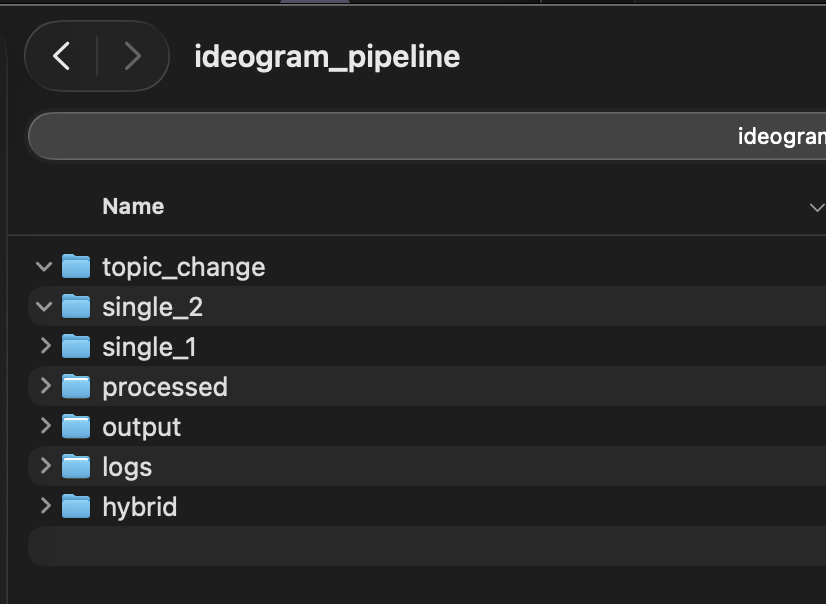
The whole process runs unattended. I drop files in, and come back to finished output. The pipeline also includes a topic-swap feature: I can take a batch of designs themed around one location and regenerate them for an entirely different market by typing two words into the terminal. The script intelligently finds and replaces location references throughout the AI-generated descriptions, handling city names, state names, and regional references separately.
The numbers tell the story. In my first real production run, I generated 50 graphics in about 10 minutes. Total cost: roughly $3 at Ideogram’s turbo API pricing of about $.06 per image. Not every single one of those 50 graphics was usable, but 90% of them were.
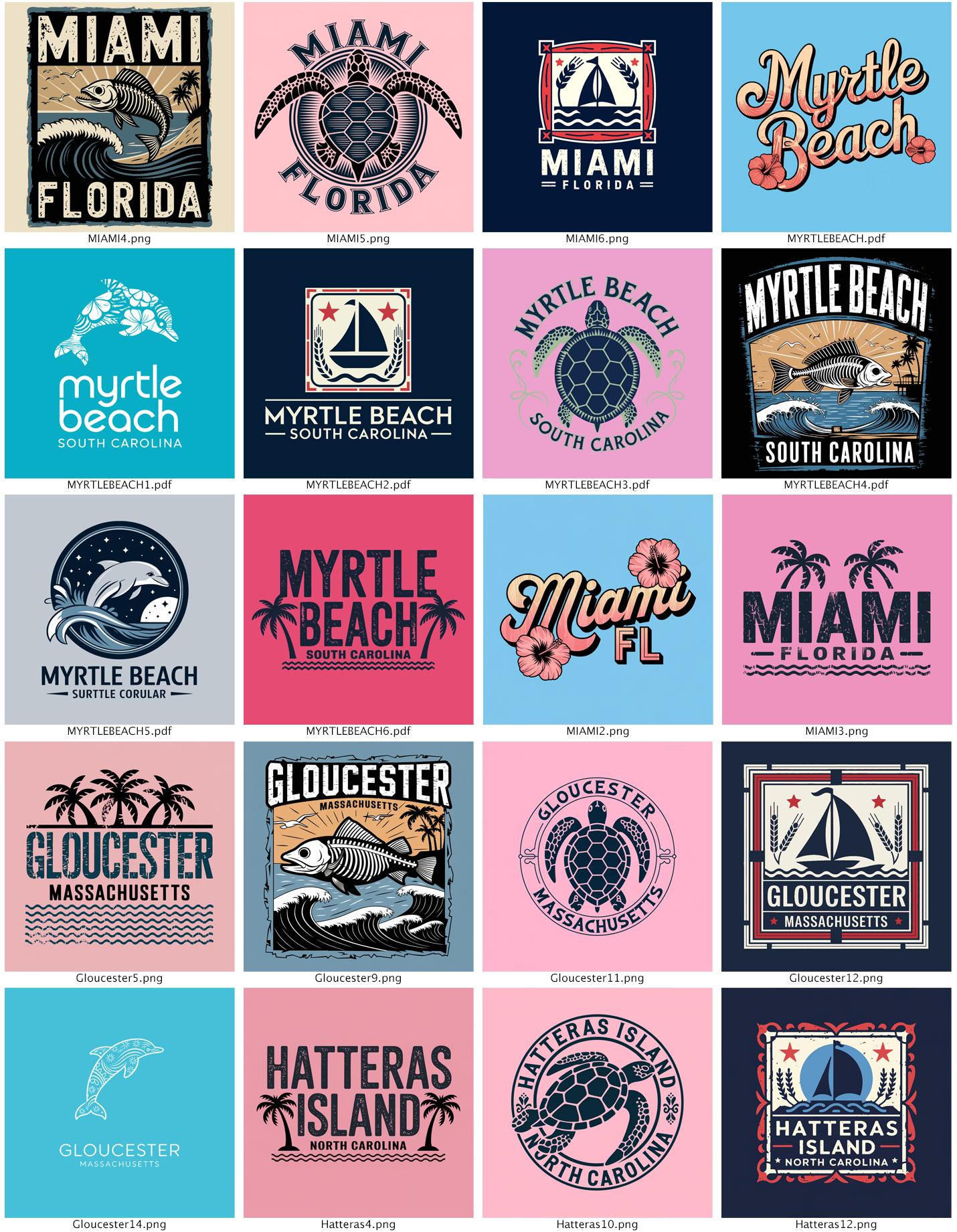


But generation is only part of the workflow. Each graphic still needs to be vectorized for production. I use Vectorizer.AI for that step, and since I’m on their web app subscription, it made more sense to keep that part manual rather than paying per-image API fees.
I programmed the pipeline to help here, too: It automatically reduces each output to four colors — three design colors plus background — using a smart algorithm that identifies the background by pixel coverage, then selects the three most visually distinct remaining colors. That color-reduced file goes straight into Vectorizer.AI’s web app, and the vectorization is clean, one button output, because the input is already simplified.
Timing the full end-to-end process, including vectorization and post-processing, removing backgrounds, setting accurate colors, saving with proper file names, and building contact sheets, I’m averaging about one minute per finished graphic. That puts me at roughly 60 completed, production-ready, vectorized graphics per hour.
Meanwhile, the generation pipeline keeps running in the background, feeding me more material faster than I can process it. I will consider an API integration with Vectorizer and automations, more hot folder automations for the contact sheets, and the naming protocol as they move into the future so that potentially the whole system becomes an automation. Obviously, this can’t be used for every customer and is not ideal in every situation, but aspects of this can be generally applied.
To put that in perspective:
I started 2025 at four graphics per hour.
I ended the manual-workflow era at seven.
With the automated pipeline, I’m at 60.
That’s a 15x improvement from where I started, and an 8x jump from my most optimized manual process. I don’t need that many, but it’s possible. The quality hasn’t suffered; if anything, the consistency is better because every design runs through the same style instructions automatically.
And the creative bottleneck has shifted from production speed to creative direction. The next step is to build an algorithm around what is selling and integrate that into the pipeline. I’m no longer spending my time clicking through web interfaces. I’m spending it deciding what to make.
A Note on the Craft
I want to be direct about something, if you're a graphic designer or an illustrator reading this and feeling a knot in your stomach, the concerns about AI in the creative space are real. The questions about artistic integrity are legitimate. The frustration about models trained on work that artists never consented to share is valid. None of what I've described above is meant to wave those concerns away.
This workflow targets a specific use case: high-volume promotional apparel for a global retailer where the design language is well-established, the style is consistent, and the output needs to scale across dozens of markets fast. An artist decides the creative direction, curates the results, and makes the judgment calls about what's good enough to ship.
What I'm sharing here is what's possible today, right now, with tools that already exist. Whether or not this approach fits your work, understanding what these systems can do puts you in a stronger position than ignoring them. I didn't fully anticipate when I started building this how quickly I would begin drifting into genuinely autonomous territory, and how unsettling that drift would feel.

There is a real difference between a tool that makes you faster, and a system that operates independently of your attention, your judgment, your presence. Every step toward full automation is a step I'm taking with eyes open: integrating sales data to influence what gets generated, removing my hands from more of the decision loop, letting the system make calls I used to make myself. And every one of those steps raises questions I can't answer cleanly:
- What am I giving up?
- Who's in control?
- Does that question even have a clean answer?
I don't think it does. And that's exactly the problem.
I am one person, building one pipeline, for one type of work. I know where the human judgment is and where it isn't. Most people encountering these systems — as workers, as consumers, as citizens — will not have that visibility. They won't know what's been automated, what's been decided for them, or who's accountable when something goes wrong.
There is no meaningful AI legislation in the United States right now. Not for creative work, not for labor displacement, not for autonomous systems making decisions at scale. This technology is moving faster than most people understand, and it has real consequences for real people, their work, their livelihood, their ability to consent to how their creative output is used.
If you're a designer, an illustrator, a printmaker, a creative professional of any kind, your voice matters here. Find your representative. AI need legislation, yesterday. Find Your Representative →