
How to Create Print-Ready Artwork for Digital T-Shirt Printing
Your guide to designing T-shirt graphics for digital printing
A well-printed T-shirt design starts way before any ink hits the fabric — it begins with a well- and properly-prepared design file. When printing T-shirts using digital equipment — direct-to-garment (DTG) or direct-to-film (DTF) — the prepress work matters and can be the difference between a vibrant, crisp print and a disappointing one.
From achieving smooth faded edges and choosing the right color profiles to optimizing RIP software, digital printing calls for unique approaches to ensure the print has the desired look and feel. Common mistakes, like improper file resolution, can derail your process from the jump.
To help graphic designers create print-ready artwork without any headaches, a few industry experts share their design best practices, mistakes to avoid, and ways to leverage artificial intelligence (AI).
What to Know When Creating Artwork for Digital Printing
There’s plenty to consider when designing artwork for digital printing methods, but there are three main concerns designers and apparel decorators need to consider.
1. Set Your File Up for Success
First and foremost, proper file size, resolution (300 DPI or PPI), and transparent background are the three proverbial boxes designers need to check before starting on any graphics, says Dane Clement, vice president of art and creative process for GroupeSTAHL.
“It’s important to set up your files properly at the beginning at the appropriate size for your final image and high enough resolution,” Clement says. “Otherwise, your final prints won’t be as sharp as they can be. If the image is flattened, you give yourself additional work because you’ll need to extract the image from the background.”
2. RGB vs. CMYK: What Color Profile is Best?
The next big consideration when setting up your design file is choosing a color profile. Is RGB or CMYK better for DTG and DTF printing?
“RGB has a much larger color spectrum than CMYK,” Clement notes. “Even though digital printers use CMYK inks, I will create my artwork in RGB, so it has the most color information available. When the file is sent to print, it has the most color data possible going to the printer to translate for printing.”
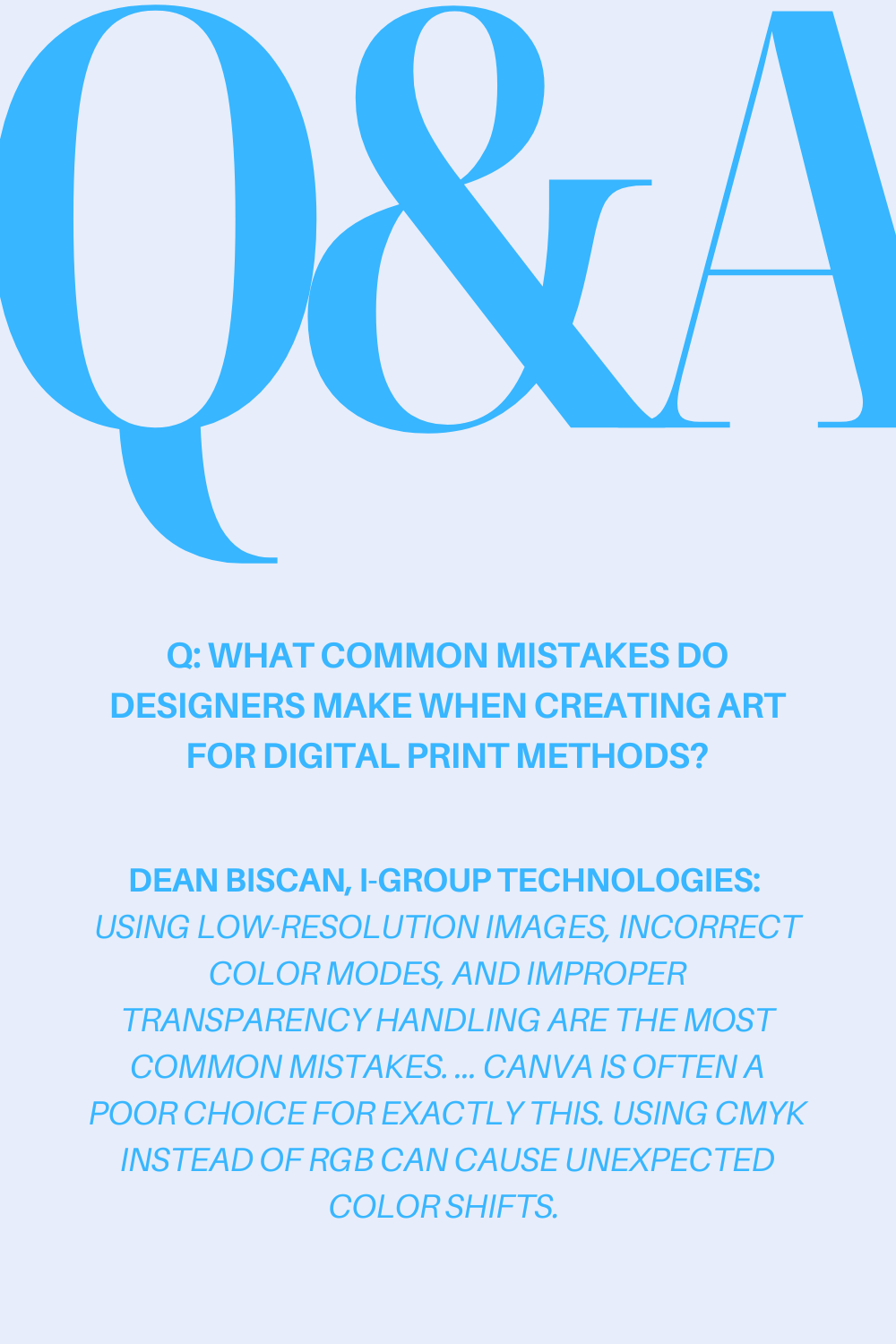
The only drawback? CMYK’s smaller color spectrum may cause the final print to not exactly match up to the on-screen colors because the printer can’t reproduce all the RGB colors, especially the highly saturated ones.
That said, most DTG and DTF printers’ RIP software or drivers prefer an RGB PNG file. “The RIPs interpolate the colors used and change the math to CMYK,” he explains. “This workflow will result in more accurate colors on your print.”
As Dean Biscan, creative/marketing director for i-Group Technologies, puts it, the RIP is the “brains of the printer.” It translates the digital design into the format the printer needs to print the file. It also ensures repeatable color accuracy and handles ink distribution and the white underbase layer (which we’ll get into a bit later) in addition to handling halftones and gradients to ensure detail clarity.

Echoing Clement’s thoughts, Biscan says RGB’s wider color range allows for more vibrant prints when digital printing. However, to avoid the issue of the printed colors not matching the on-screen colors, he advises designers and apparel decorators to adjust hues and saturation to maintain accuracy from screen to T-shirt. This is especially true for bright colors like greens, blue, and neons. “I always suggest to do as much as you can visually in your design software and then use your RIP to make the visual adjustments needed once it's printed. Luckily, once you lock in your RIP settings per color/garment mode, you're off to the races,” he explains.
“For the best color accuracy, vibrancy, and clarity — and yes, this is a bit advanced and time-consuming process — create a custom ICC profile in your RIP software using a spectrometer like the NIX, which is what I use,” Biscan continues. “A custom ICC profile ensures your printer, ink, and fabric combination produces the most accurate and consistent colors possible. Standard profiles may not account for variations in fabric type, ink absorption, or underbase strength, leading to dull or inaccurate prints. By using a spectrometer to read color swatches printed on your specific material, you can fine-tune color output, optimize ink usage, and improve print vibrancy.”
3. DTG vs. DTF: Key Differences in Design
Your file is set up and now you’re ready to start the design process. There are some key differences to note when designing for DTG versus DTF, including how to handle faded edges and small details.
Faded Edges with DTF
“When it comes to digital printing there are certain things that don’t translate as well,” says Kevin Oakley, co-founder and chief revenue officer for Las Vegas, Nevada-based Stoked On Printing and MerchLoop. “A great example of this is outer glows that fade from 100% to 0% with very small gradient dots."
With DTG printing, this isn’t an issue. It can print soft edges, no problem. However, with DTF, the ink droplets produced by the printer are too small, so it can’t hold the white ink and the adhesive powder needed for the transfers to adhere the to fabric.
For DTF purposes, the artwork needs to be adjusted. “Using art with a hard solid edge, applying a large halftone screen to the fade, and pasting the image inside of a hard-edge shape are some ideas for combatting this issue,” Clement says.
And because thin lines, small text, and fine detail may not adhere well with DTF, Biscan suggests using bolder strokes to maintain clarity and to test, test, test designs.
-

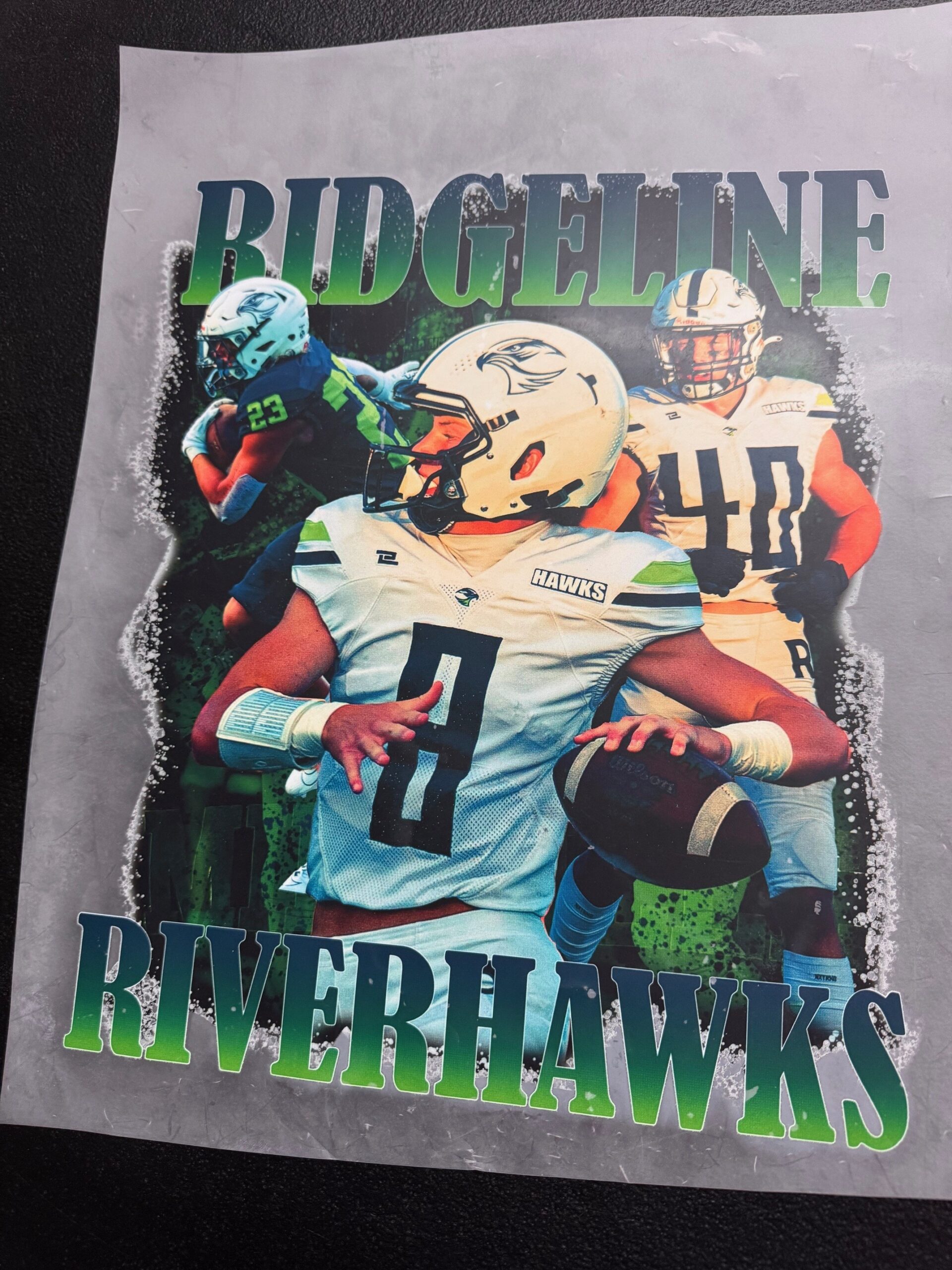
- A design using soft, faded edges with direct-to-garment (DTG) printing in mind. | Credit: Dane Clement
-

- A design using halftones with direct-to-film (DTF) printing in mind. | Credit: Dane Clement
Raster vs. Vector Files
For DTG printing, raster or vector files work. However, Biscan says “raster is where it really shines!” Apparel decorators often opt for DTG because of its ability to print detailed, photorealistic designs and gradients, and most photorealistic graphics are raster files.
For DTF printing, vector files are the go-to for bold, sharp graphics. That’s not to say raster wouldn’t work – it really depends on the level of detail and texture of the design.
“Simply switching to raster artwork will take your designs to the next level,” Clement argues. “With AI, it makes it even easier to work with raster art. So even a novice can create beautiful images. However, knowing how to manipulate AI images in raster programs like Photoshop or Affinity Photo allows you to transform your images even further and make them your own. Knowing how to merge elements from different AI-generated images, painting in your own elements, using editing tools to change and manipulate the image — these are all ways to up your game in creating artwork for digital printing.”

To Underbase or Not to Underbase
Now for the big debate: to underbase or not to underbase. Some apparel decorators say it’s not always necessary (when you’re printing on light-colored garments), but some swear by an underbase no matter the T-shirt color to ensure vibrant prints.
With DTF, there’s always a white underbase, as that’s what the powder adhesive sticks to before the ink is laid on top. The main concern with the underbase white is getting the choke right. “Depending on the printer/ink sets you are using you will have to do various testing on the choke,” Oakley says. This white underbase and the amount of choke can be adjusted within the RIP software.
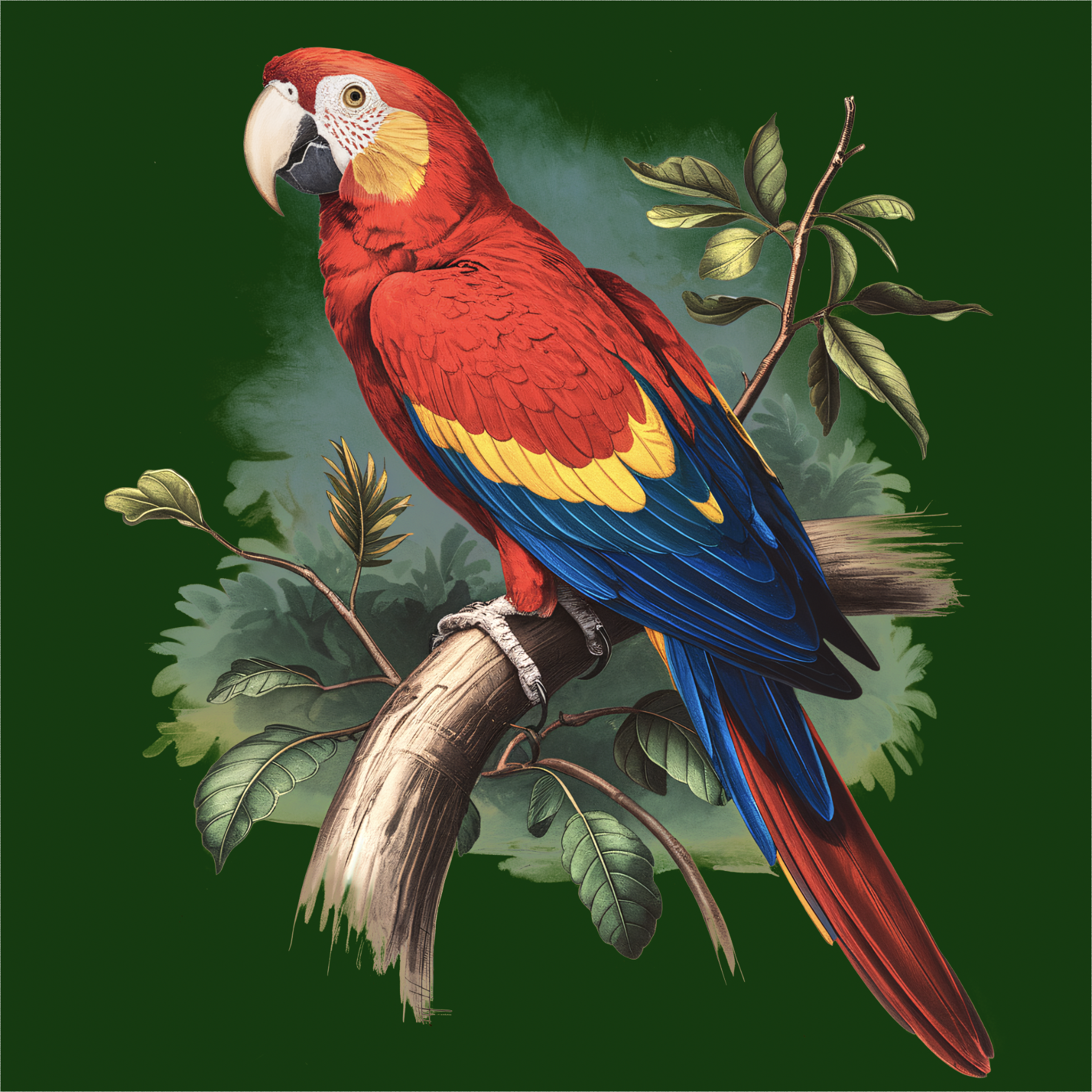
Now with DTG printing (shown right, courtesy of Dean Biscan), it’s a bit of a different story. The white underbase isn’t a requirement like it is with DTF. Generally, when DTG printing dark-colored shirts, apparel decorators want to use an underbase to ensure print vibrancy. If you’re working with a light-colored shirt or looking to achieve a washed-out or vintage look, opting out of an underbase could work, Clement says, but it all depends on the color of the shirt and the colors in the design.
Skipping out on an underbase for light-colored garments can create a more breathable print and reduce ink costs, Biscan adds, so it’s important to test for best results.
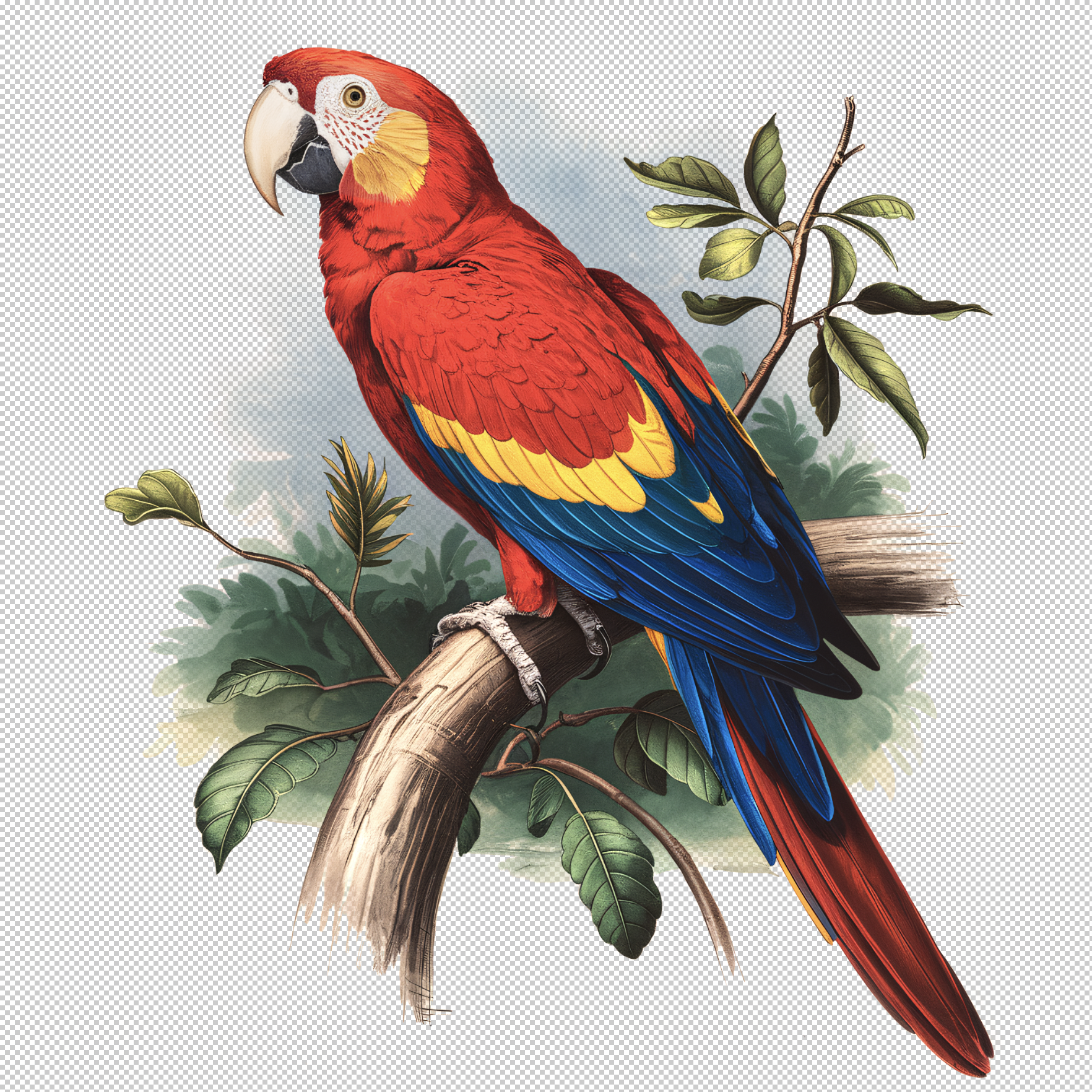
Thankfully, designers don’t need to worry about creating the underbase manually, Biscan says. In most cases, a printer’s RIP software handles the underbase, adjusting for opacity, choke, and coverage based on the design and fabric color. That said, using high-resolution artwork and a transparent background will ensure the RIP software detects where that white underbase needs to be.
“Adjusting underbase opacity helps avoid a thick, heavy feel while ensuring vibrant colors,” Biscan explains. “Since different fabrics react differently, textured materials may need a stronger underbase, while smoother fabrics require less. Running test prints is essential to ensure proper alignment and balance between vibrancy and softness. By fine-tuning these settings in RIP software, decorators can achieve brighter colors, cleaner edges, and a soft-hand feel while minimizing ink waste.”

And garment color doesn’t just affect a designer's decision to underbase or not. It can also be strategically used to the designer's advantage.
“I always recommend trying to keep the shirt color in mind when designing as this will allow you to use it to be able to knock out the print and allow the shirt to come through, which results in a lighter feel print,” Oakley says.
For tips on knocking out areas in a design, Clement’s website DaneClement.com features free videos designers and decorators can check out.
Advanced Design Techniques to Try
For designers looking to take their work to the next level, sources suggest adding texture, lighting effects, and more depth to designs.
Oakley suggests tinkering around with different overlays and filters to add texture. This is a big benefit of digital printing — not having to worry about limitations or color counts like you do when designing for screen printing.
For designers looking for smooth fades and shadows instead of transparency, they can play with halftones, Biscan suggests. “Incorporating simulated textures, lighting effects, and layering techniques adds depth and realism.”
Great T-shirt graphics start with well-prepared art files, the right color profiles, and an understanding of how designs translate differently across different printing methods. With the right techniques, tweaking, and testing, designers can take full advantage of the creative possibilities digital printing offers.
